ConciergeX · AI customer concierge
Every customer, answered face to face.
ConciergeX puts a live AI avatar in front of every customer — explaining products in plain language, guiding claims and complaints, and handing over to a human advisor on video when it matters.
- Live AI avatars
- English · हिन्दी · বাংলা · தமிழ்
- No login needed
- Human hand-off on video
Who it’s for
Better service for everyone in the conversation.
-
For customers
Ask in your own words and your own language, any time — and get a clear answer from someone who looks you in the eye. No login, no queue.
-
For service teams
Routine questions are answered before they reach you. When a case needs a person, it arrives as a ticket with the context already written down.
-
For the business
One consistent, on-brand voice across web, branch and kiosk — grounded in your own product and policy content.
How it works
Choose. Understand. Resolve.
A real customer journey from the live product — from the first question to a human advisor.
Customers pick what they need
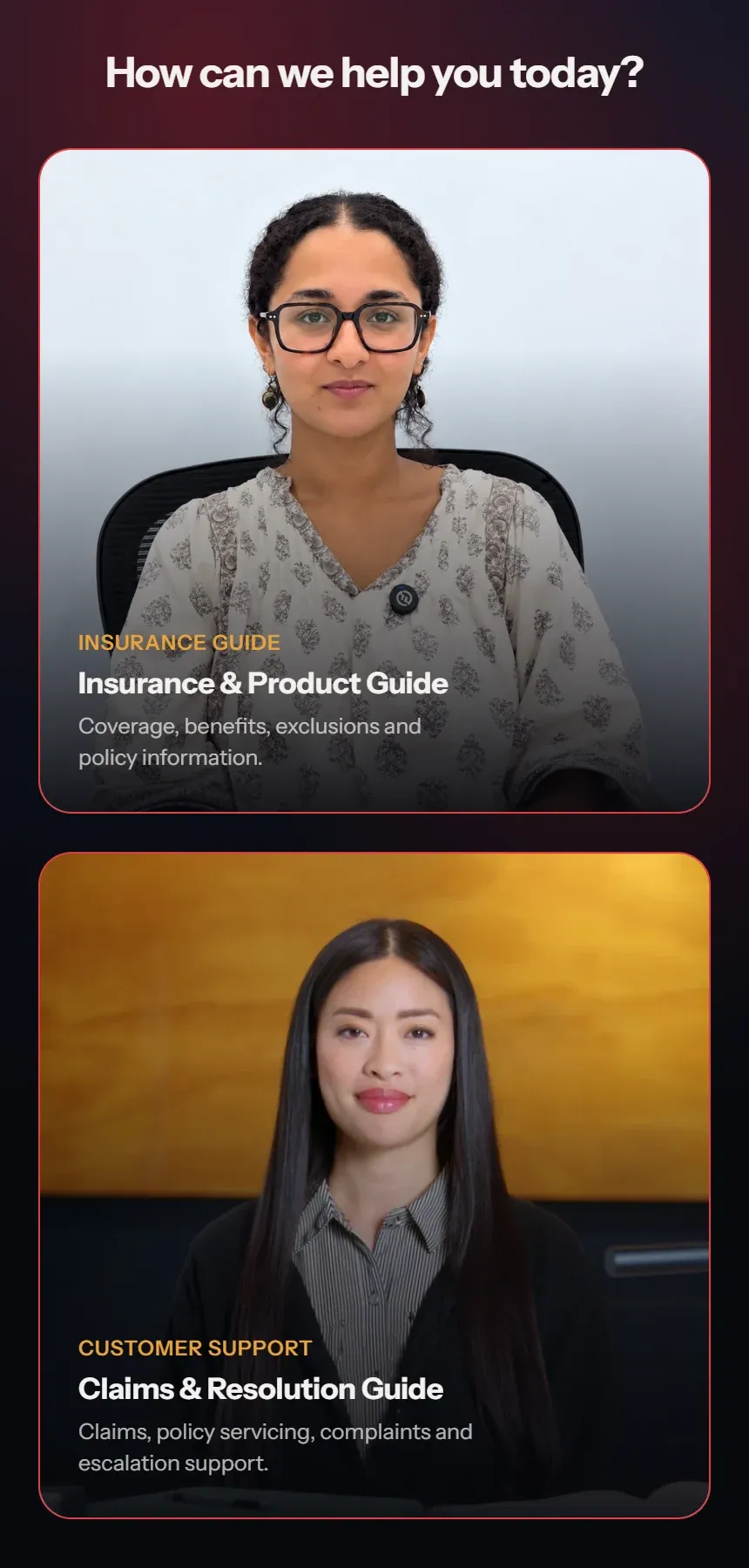
Start from a simple chooser — for example a Product Guide for “what am I covered for?” and a Claims & Resolution Guide for “something went wrong”.
Products explained in plain language
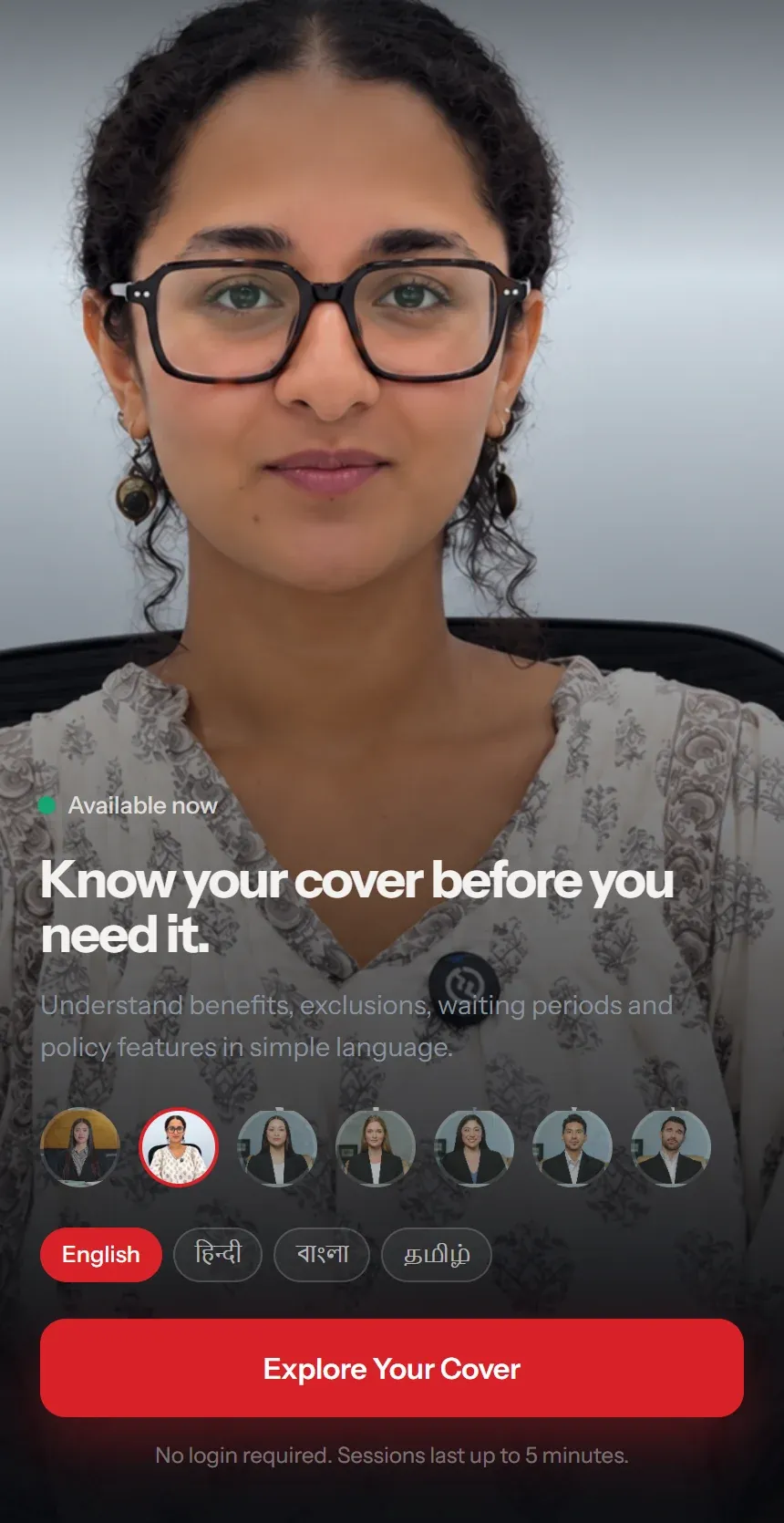
“Know your cover before you need it.” Benefits, exclusions, waiting periods and features — explained by a live avatar, in the customer’s language.
Claims, servicing and complaints
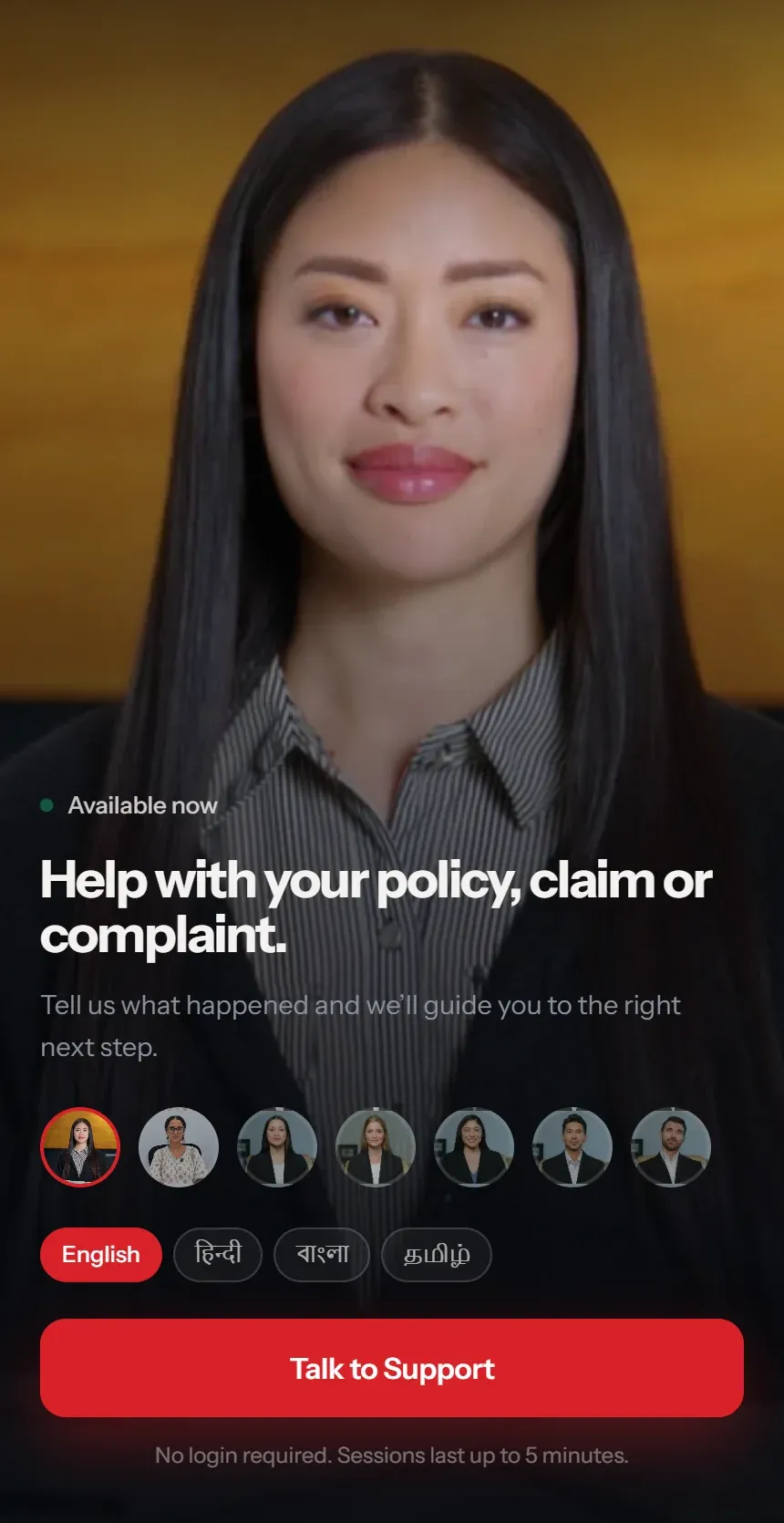
“Tell us what happened and we’ll guide you to the right next step.” When a customer wants to raise a complaint, ConciergeX opens a ticket — then offers a live advisor call.
Capabilities
A concierge that talks, listens and hands off.
Live AI avatars, grounded answers and a clean path to a human.
-
Live AI avatars
A real-time digital human who listens, thinks and answers in her own voice — with a choice of faces for your brand.
- Speech recognition, reasoning and voice in one live session
- Switch avatar without restarting
-
Speaks their language
English, Hindi, Bengali and Tamil — each shown in its own script, so customers find theirs at a glance.
-
Grounded in your content
Each guide answers from its own approved product and policy context — not the open internet.
-
Ticket first, then a person
Saying “raise a complaint” opens a ticket, so the advisor who joins already knows what it is about.
-
Advisor video call, in the page
The customer joins a Microsoft Teams meeting with an advisor right inside the experience — audio-only if there’s no camera.
-
No login, no app
Open a link or walk up to a kiosk and start talking. Sessions are short and focused — up to five minutes.
-
Web, kiosk or Holobox
The same concierge on your website, a branch kiosk or life-size on a Holobox in the lobby.
- Mobile-first web experience
- Kiosk and Holobox for branches and lobbies
Going live
From your knowledge to a live concierge.
- 1
Choose your guides
Decide the journeys — product guide, claims, servicing, onboarding — and the avatar for each.
- 2
Load your knowledge
Your product, policy and process content becomes each guide’s approved context.
- 3
Connect your advisors
Link ticketing and Microsoft Teams so hand-offs reach the right team with context.
- 4
Go live everywhere
Publish to your website, branch kiosks or a Holobox — and watch the questions come in.
Applications
Wherever customers need answers.
- 01
Insurance
Explain cover, benefits, exclusions and waiting periods; guide claims, servicing and complaints.
Policies Claims Complaints - 02
Banking
Product discovery, account and card questions, and branch concierge — with a human advisor a sentence away.
Products Branch Servicing - 03
Customer service centres
Deflect routine queries 24/7 and send only real cases to agents, with the ticket already written.
24/7 Tickets Hand-off - 04
Reception & visitor desks
Greet and guide visitors in their language on a kiosk or a life-size Holobox.
Kiosk Holobox Multilingual
-
Answers from approved content
Each guide is grounded in its own product and policy context.
-
People stay in the loop
Complaints become tickets, and a human advisor can join on video.
-
Short, focused sessions
No login required, sessions capped at five minutes.
-
Camera optional
Advisor calls fall back to audio-only when a camera isn’t available or allowed.
FAQ
Questions, answered.
Is the avatar live or pre-recorded?
Live. Each session is a real-time conversation — she listens, understands and answers in her own voice.
Which languages are supported?
English, Hindi, Bengali and Tamil today, chosen with one tap at the start of the conversation.
What happens when a customer needs a person?
They ask to raise a complaint or ticket; ConciergeX records it first, then offers a live video call with an advisor over Microsoft Teams — right inside the page.
Where does it get its answers?
From the product, policy and process content you provide for each guide.
Do customers need to sign in or install anything?
No. They open a link (or walk up to a kiosk) and start talking.
Live Demo
Say hello to ConciergeX.
- Opens the live concierge in a new tab — pick a guide and a language.
- Allow the microphone to talk to her by voice.
- Best on a phone or in a narrow browser window.
Book a demo
See it in your space.
Tell us what you’re exploring and we’ll tailor a guided walkthrough for your audience and goals.
- 1 Select product or solution
- 2 Your contact details
- 3 Submit enquiry
- 1Select
- 2Details
- 3Submit