Skip to content

TraiinX · AI training & workforce readiness

Turn company knowledge into workforce readiness.

TraiinX builds complete training from your approved source material, lets people practise with AI avatars, and gives leadership evidence that teams can perform when it matters.

  • Source-grounded
  • Human-approved
  • 100+ languages
  • SCORM-ready
TraiinX · Course catalog
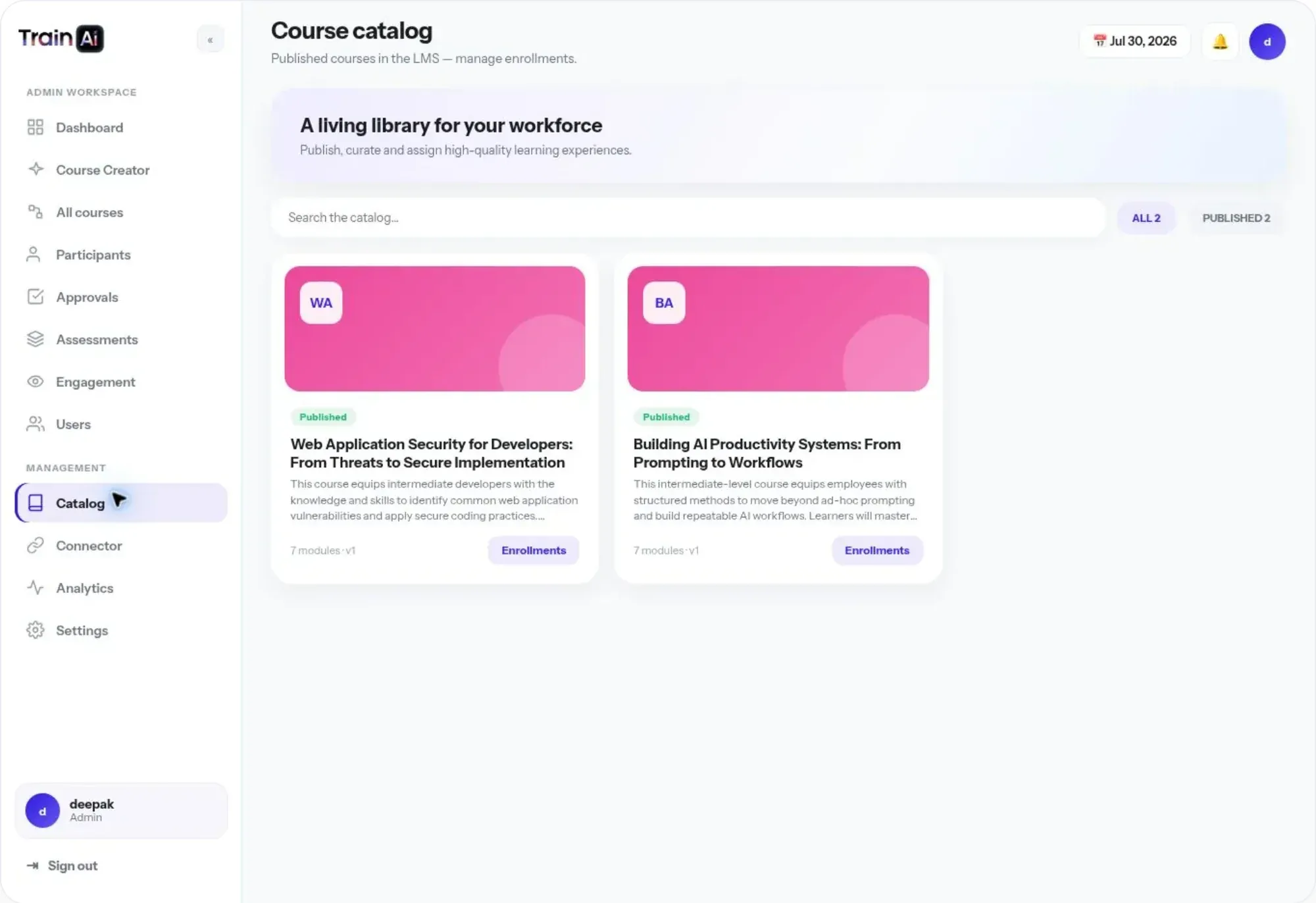
TraiinX course catalog with published courses

Who it’s for

Built for everyone who owns readiness.

  • For L&D and admins

    Draft a full course from an SOP, deck or video, keep every stage in review, then assign, track and grade — from one workspace.

  • For learners

    A clear path of lessons and checkpoints, plus a safe place to rehearse the hard conversation with an AI avatar — and retry as often as needed.

  • For leadership

    Readiness by role, region and skill — so you can see where capability exists and where coaching is needed, not just attendance.

The platform

Build. Deliver. Assess. Prove.

One platform for the whole chain — from your source material to evidence that teams can perform.

trainai · workspace
TraiinX course catalog with published courses
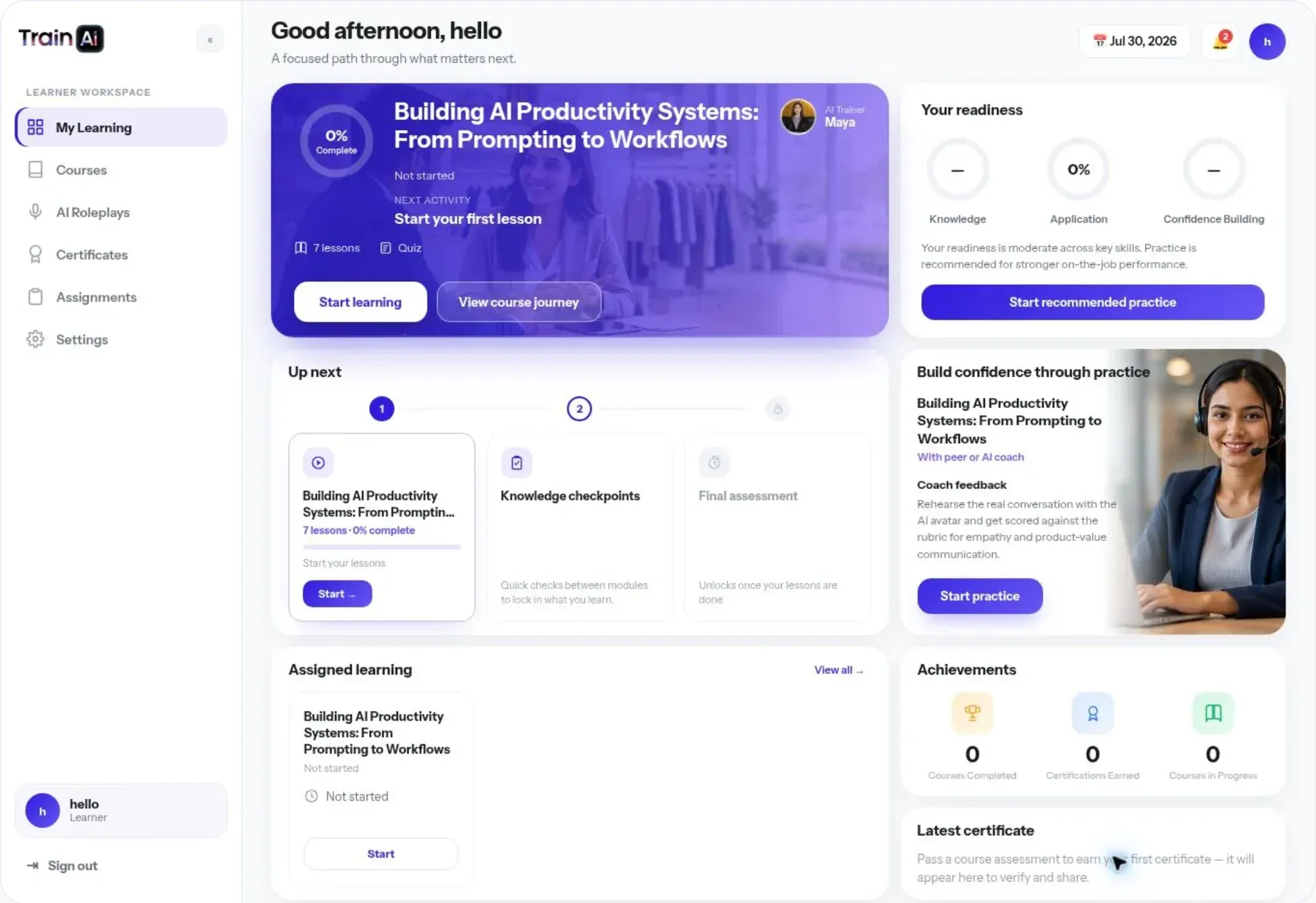
Learner workspace with the next lesson, assigned learning and readiness
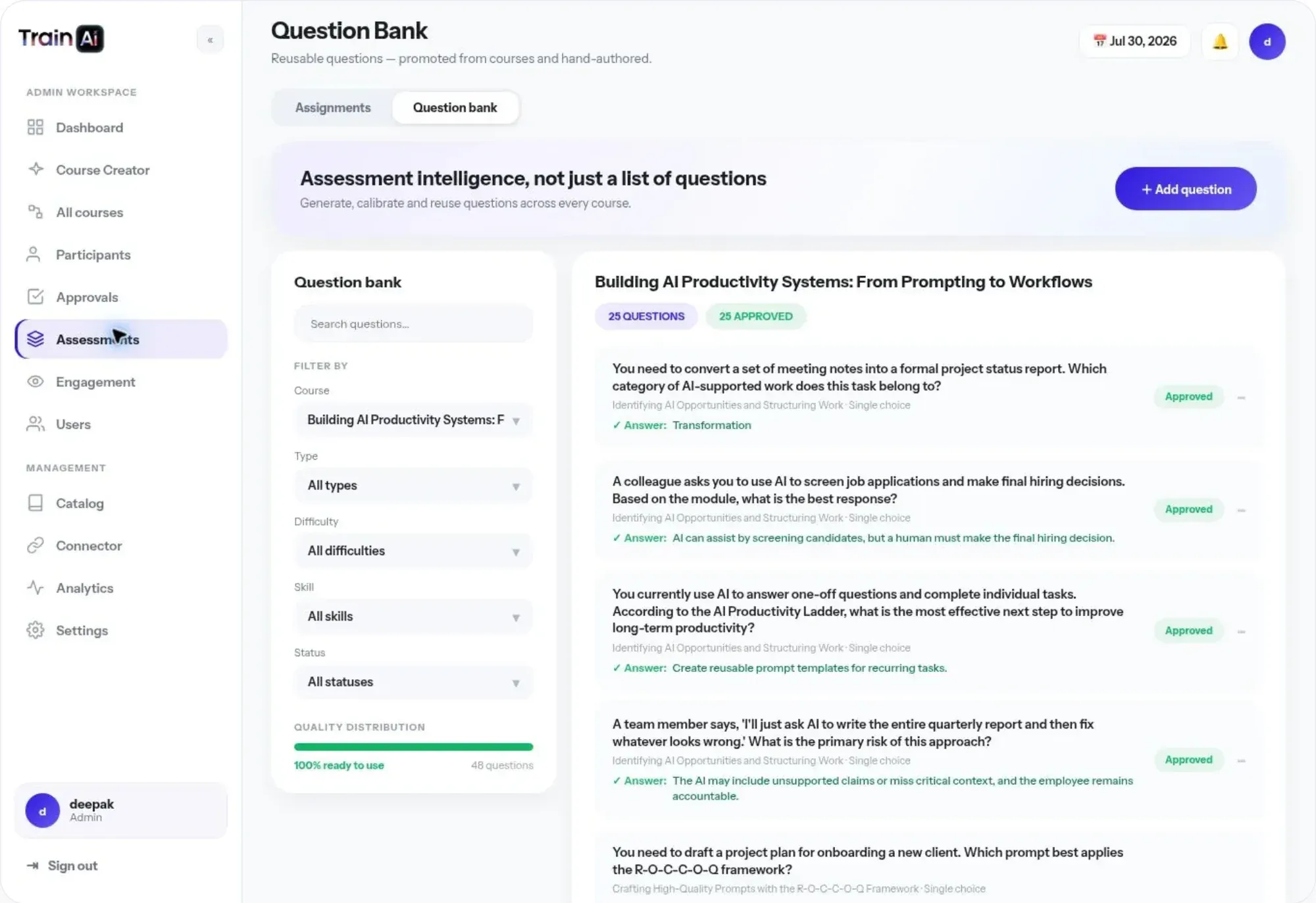
Question bank with approved assessment questions
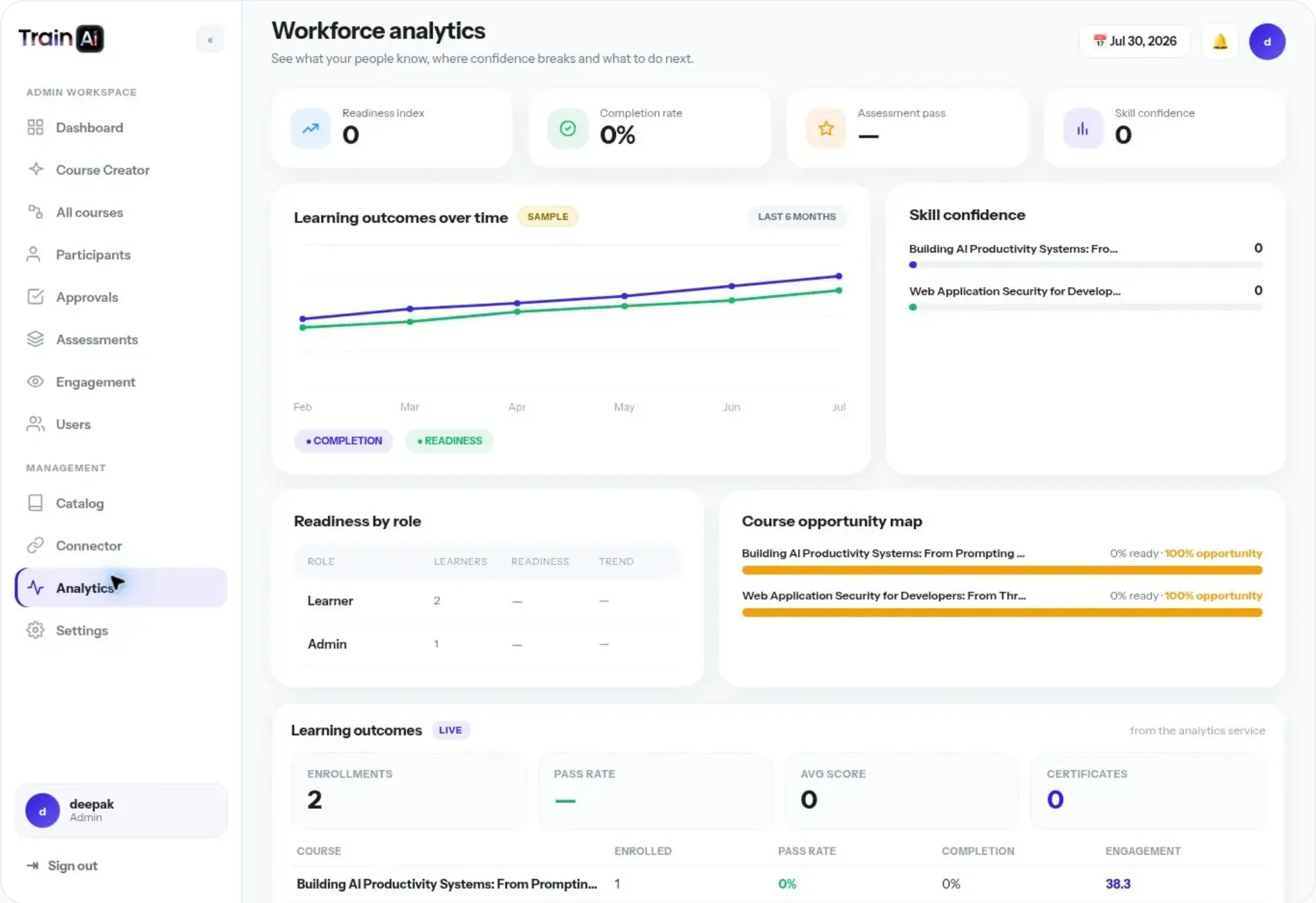
Workforce analytics with readiness and skill confidence

A living course library, built from your sources

Upload a document, deck, SOP, video or plain brief. TraiinX drafts modules, lessons, presentations, images, video, voiceover, assessments and certificates — held for review until an admin approves.

Any source material

From the documents you already have.

  • ↗ Electrical Safety SOP
  • ↗ Product Launch Deck
  • ↗ Lockout / Tagout
  • ↗ Objection Handling video
  • ↗ Data Privacy Basics
  • ↗ Forklift Certification

Intelligent avatars

Practise the hard conversation before it’s real.

TraiinX generates a scenario grounded in the course and an AI avatar plays the other side. Each response is scored against your rubric, with one clear coaching action for the next attempt.

  • Scenarios from the same approved source
  • Rubric scoring: listening, clarity, accuracy, empathy
  • Retry as often as needed
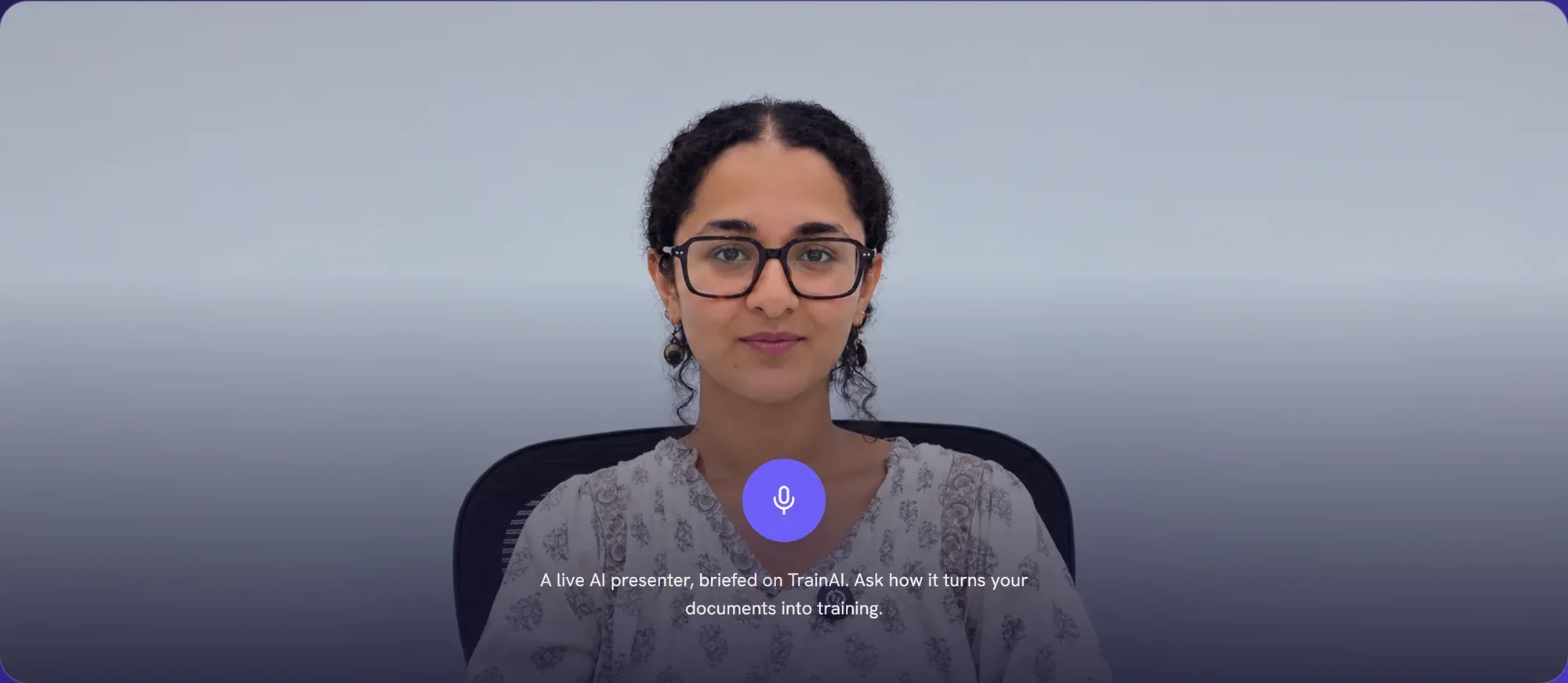
A live AI presenter avatar ready to answer questions

What leadership can finally see

Readiness, by role, region and skill.

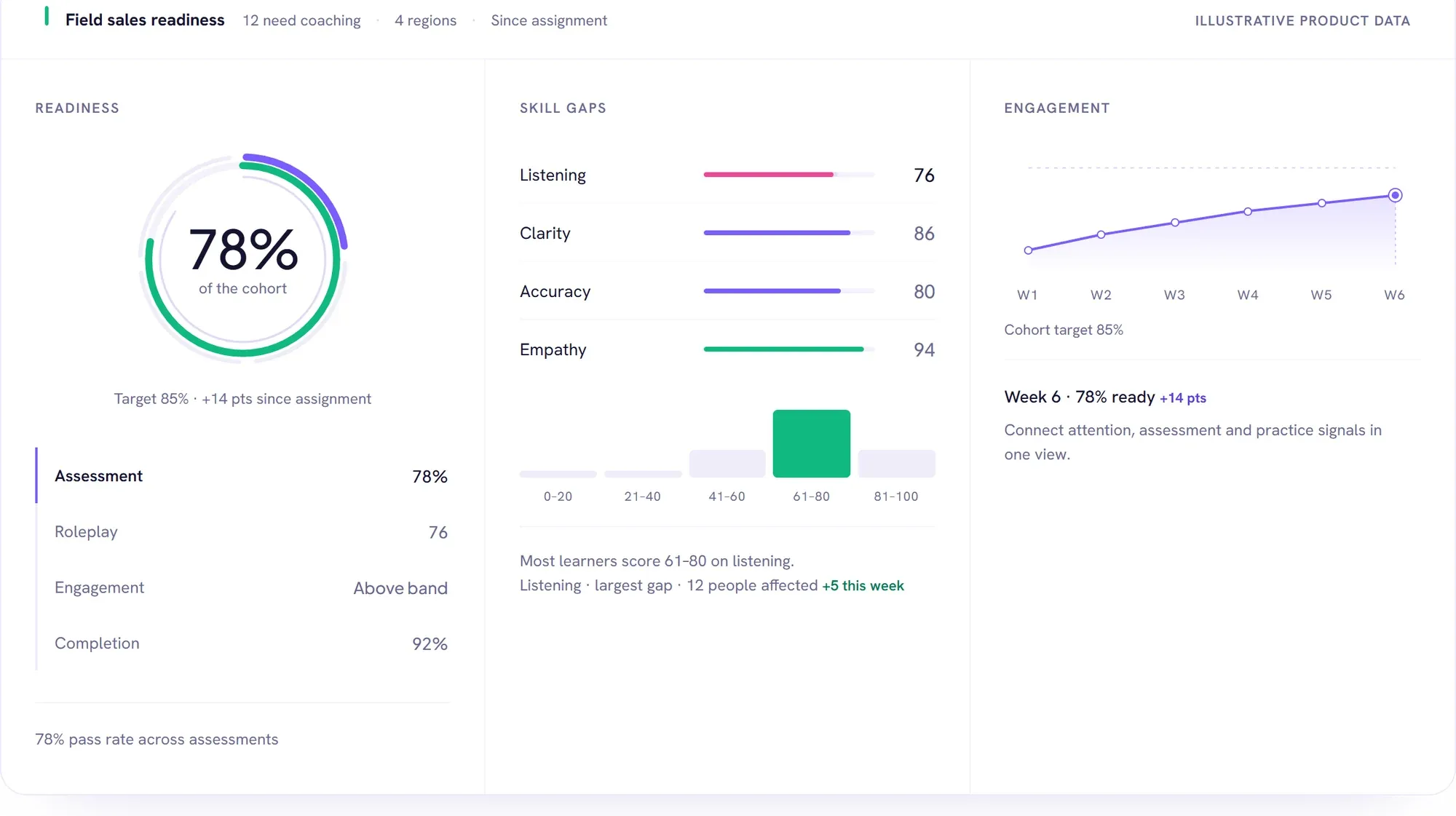
Assessment, roleplay and engagement signals combine into one readiness view — with the biggest skill gaps and the people who need coaching surfaced for you.

  • Readiness against a cohort target
  • Skill-gap distribution
  • Weekly engagement trend
Leadership dashboard with readiness, skill gaps and engagement (illustrative data)

Features

Everything L&D needs, in one place.

Source-grounded, human-approved, multilingual and ready for your existing stack.

  • AI course builder

    Modules, lessons, presentations, images, video and voiceover — drafted from approved material.

    • Documents, decks, SOPs, video or a plain brief
    • Every stage held for human review
  • Avatar roleplay

    Live AI-avatar practice with rubric scoring and one coaching action per attempt.

  • Assessments & certificates

    Question banks, quizzes, assignments with a grading queue, and certificates on completion.

  • Engagement analytics

    Attention is computed in the learner’s browser with consent — no video leaves the device, only attention scores.

  • 100+ languages

    Update the source once and republish every language version — aligned, not rebuilt by hand.

  • Always current

    When an SOP changes, affected lessons are flagged for review instead of quietly going out of date.

  • SCORM, LMS & MCP

    Publish to any SCORM-compatible LMS or share a link. Claude and ChatGPT can author and enrol over MCP with your exact permissions.

    • Teams, HRMS/Workday and Frappe LMS connections
    • Secured by OAuth

Inside the admin workspace

Run the whole programme from one workspace.

  1. 1

    Assign & enrol

    Publish to the catalog, add learners course by course, and see live progress for every enrolment.

  2. 2

    Watch the signal

    Real-time attention across sessions — engaged, neutral, distracted — with learners who need support listed beside it.

  3. 3

    Assign & grade

    Assignments, submissions and a grading queue in one library that tells you what still needs attention.

  4. 4

    Govern access

    One directory for learners, trainers and admins — roles, invitations and last-active at a glance.

Applications

Train for the moments that affect performance.

  • 01

    Sales readiness

    Rehearse pitches, discovery and objection handling before a customer call.

    Roleplay Objections Discovery
  • 02

    Product knowledge

    Turn specifications and updates into clear, interactive training for every role.

    Specs Launches Updates
  • 03

    Compliance & safety

    Teach the procedure, check understanding and retain visible evidence of completion.

    SOPs Certificates Audit trail
  • 04

    Frontline & onboarding

    Practise service and operational scenarios before the shift — and give every new hire a consistent path to readiness.

    Frontline New hires Mobile

Trust

Built to fit your stack and your governance.

See our AI Policy and Security & Trust.

  • Role-based control

    Separate admin, learner and leadership access around the work each role needs to do.

  • Source grounding

    Generated learning references its source, so reviewers can trace a claim back to a document.

  • Consent & on-device analysis

    Learners see what is measured and consent first. No video leaves the device — only attention scores.

  • Human approval

    Admins edit, approve and publish; the approval record stays attached to the course.

FAQ

Questions, answered.

What can it create from our content?

From a document, deck, SOP, video or plain brief: a structured course with modules, lessons, presentations, images, video, voiceover, assessments and certificates. Roleplay scenarios and rubrics come from the same source, so practice matches the material you approved.

How is it different from an LMS or an AI video tool?

An LMS hosts content you have already made; a video tool renders one asset. TraiinX covers the chain — builds the course from your knowledge, keeps a human approval step, delivers learning and avatar practice, then reports readiness. Delivery to your existing LMS is still supported through SCORM.

How does live AI-avatar roleplay work?

A scenario is generated from the course and an avatar plays the other side of the conversation. Each response is scored against the rubric dimensions you define, with one clear coaching action for the next attempt.

Can our team review content before it is published?

Yes. Generated modules, media and assessments are held for review. Admins edit, approve, assign and publish, and the approval record stays attached to the course.

Does it work with our existing LMS?

Yes — publish to a SCORM-compatible LMS or share a direct link. Authoring and enrolment can also be triggered from Claude or ChatGPT through the MCP server.

Multiple languages and mobile?

A course can be produced in 100+ languages from one governed source, with the same lessons, roleplay and assessments on desktop and mobile.

Live Demo

Say hello to TraiinX.

  • Opens the live product site at its AI presenter — ask how it turns documents into training.
  • Allow the microphone to ask her questions by voice.
  • Request a walkthrough to see the complete admin platform.

Book a demo

See it in your space.

Tell us what you’re exploring and we’ll tailor a guided walkthrough for your audience and goals.

  1. 1 Select product or solution
  2. 2 Your contact details
  3. 3 Submit enquiry
  1. 1Select
  2. 2Details
  3. 3Submit
What would you like to see?

Pick one or more — you can change this later.

PRODUCTS

SOLUTIONS